
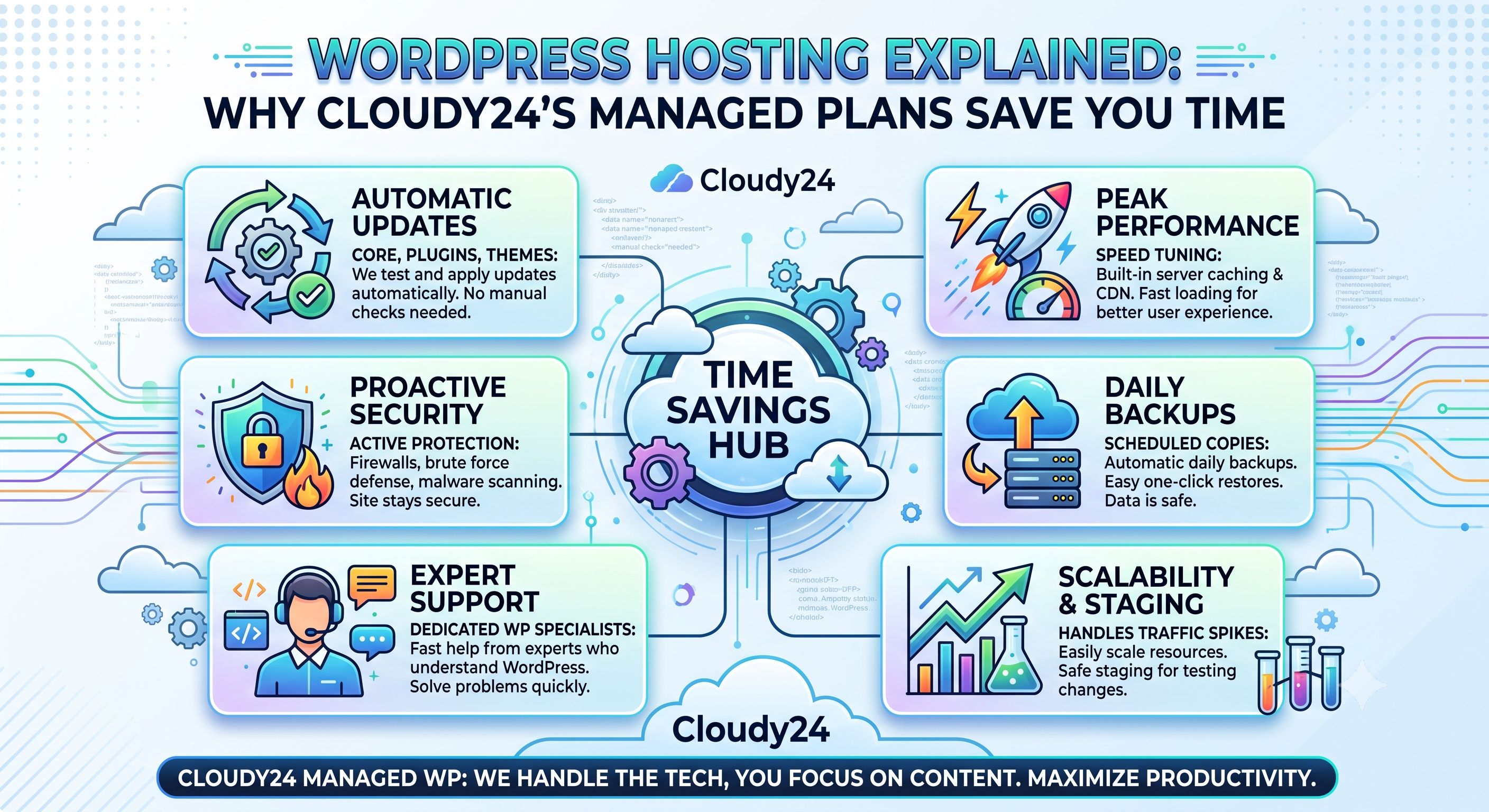
WordPress powers over 40% of all websites globally, from personal blogs to large e-commerce stores. Not all WordPress hosting works the same way, though, and the wrong plan usually shows up as slow load times, security headaches, and hours lost to troubleshooting. Here's what WordPress hosting actually means, and where a managed plan from a provider like Cloudy24 saves real time and money.
Regular hosting vs. WordPress hosting: what's the difference?
Standard web hosting is a general-purpose server environment where you can install any CMS or run any type of website. WordPress hosting is tuned specifically for WordPress — the server configuration, caching, and security rules are all built around how WordPress actually runs.
With Cloudy24's WordPress Hosting (starting from ₹399/month), you get:
- Pre-configured server settings tuned for WordPress performance
- One-click WordPress installation so you're live in minutes, not hours
- Automatic updates and security patches, reducing your exposure to vulnerabilities
- Built-in caching for faster page loads without configuring a plugin yourself
Why "managed" matters for business owners
If you're running a business, your time is better spent on customers than on server maintenance. Managed WordPress hosting moves updates, backups, and security monitoring onto the hosting provider, so you can focus on content, sales, and growth. With Cloudy24, that looks like:
- Automatic backups — if a plugin update breaks your site, you roll back instead of rebuilding from scratch
- Malware scanning — proactive detection instead of finding out about an infection after Google flags your site
- NVMe SSD storage — WordPress sites, especially with plugins and media libraries, benefit noticeably from faster read/write speeds
- 24/7 human support — when something goes wrong at an inconvenient hour, there's someone to actually talk to
Where WordPress sites usually go wrong
Ignored updates: outdated WordPress core files, themes, and plugins are one of the most common causes of hacked websites. Managed hosting automates this instead of relying on someone remembering to log in and update manually.
No backup strategy: too many site owners only think about backups after losing data. Automated daily backups mean a bad update or an accidental deletion doesn't cost weeks of work.
Hosting that isn't tuned for WordPress: budget shared hosting not optimised for WordPress often runs slow, which hurts both the visitor experience and search rankings, since page speed is a ranking factor.
No security layer beyond WordPress itself: without a web application firewall or malware scanning, WordPress sites are a common target for bots probing for vulnerabilities. Managed hosting builds these protections in by default.
Who managed WordPress hosting is for
- Small business owners who want a professional website without hiring an in-house developer
- Bloggers and content creators who need reliable uptime and fast page loads
- E-commerce stores using WooCommerce, which demand more server resources than a typical blog
- Agencies managing multiple client WordPress sites who need consistency across all of them
A couple of common questions
Do I need WordPress-specific hosting, or does regular web hosting work? Regular hosting can run WordPress at a small scale, but as traffic, plugins, or media grow, hosting tuned for WordPress specifically, meaning caching, PHP version, staging, and security rules, is what keeps a site fast without manual tuning on your end.
Which web hosting is best for WordPress? Look at the actual stack rather than the marketing label: LiteSpeed-class caching, a current PHP version, automated backups, and a staging environment. Cloudy24's WordPress Hosting includes all four starting at ₹399/month.
Getting started with WordPress on Cloudy24
- Choose a WordPress Hosting plan starting from ₹399/month
- Use the one-click installer to deploy WordPress instantly
- Pick a theme and start customising your site
- Let Cloudy24 handle backups, security, and performance in the background
Free migration is included too, so if you already have a WordPress site hosted elsewhere and you're unhappy with the speed or support, switching doesn't mean starting from scratch — Cloudy24's team moves your existing site, database, and files for you.
Managed WordPress hosting pays for itself for most businesses, through saved time, fewer security incidents, and consistently faster pages. Get started with Cloudy24's WordPress Hosting — new users get 20% off with code NEWUSER.
 Share on LinkedIn