
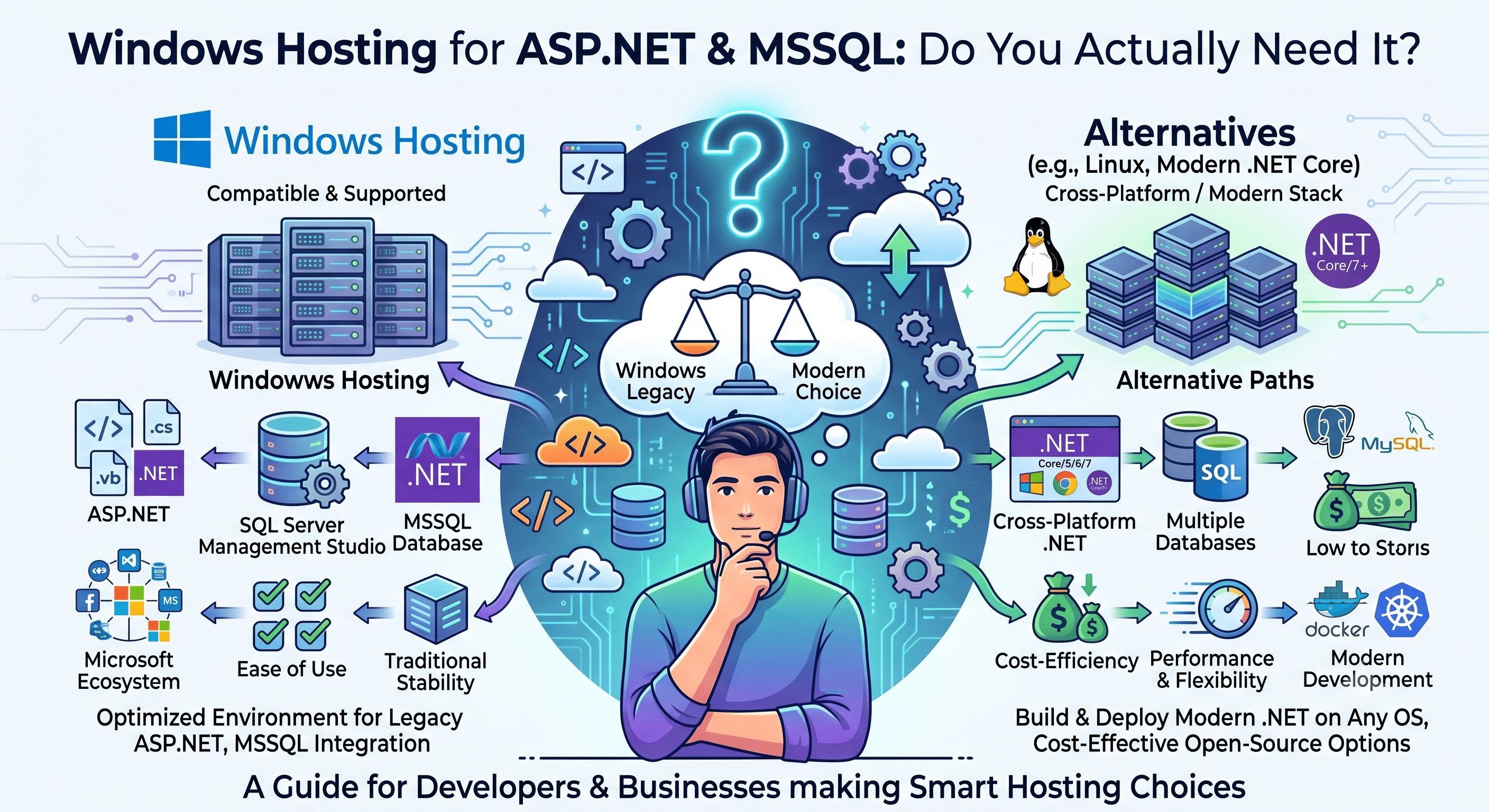
Most websites don't need Windows hosting. If you're running WordPress, a PHP-based store, or pretty much any standard CMS, Linux hosting will be cheaper and just as capable. So let's start with the honest version: Windows hosting exists for a specific audience, and this post is about figuring out whether that's you.
When You Actually Need Windows Hosting
You need Windows hosting — not Linux — if any of these are true for your project:
- Your application is built on ASP.NET or ASP.NET Core. If your developer wrote the app in C# or VB.NET using the .NET framework, it needs a Windows environment with IIS to run properly.
- Your database is Microsoft SQL Server (MSSQL). If your data layer is already built on T-SQL and stored procedures in SQL Server, moving it to MySQL or PostgreSQL usually isn't worth the rewrite.
- You're running legacy Classic ASP. A lot of older intranet tools, ERP front-ends, and enterprise systems were built in Classic ASP (VBScript/JScript) years ago and were never rewritten. If that's what you've inherited, you need a Windows server, full stop.
- You're migrating from another Windows host. If you're already on GoDaddy Windows hosting or SmarterASP.NET and just want a better host, staying on Windows avoids re-platforming your app entirely.
If none of that applies to you, Linux hosting is the right call — it's generally more affordable and there's a bigger talent pool for it. But if any of the above describes your project, Windows hosting isn't a preference, it's a requirement.
What's Actually Running Under the Hood
Cloudy24's Windows Hosting plans run on Windows Server 2022 Datacenter, with IIS 10 as the web server. On the application side, you get .NET 8, .NET 6 LTS, and classic .NET Framework 4.8 installed side by side — so newer ASP.NET Core apps and older .NET Framework apps can coexist on the same server without one forcing an upgrade of the other. Full support is included for MVC, Web API, Blazor, and SignalR, plus Classic ASP (VBScript/JScript) for legacy applications that haven't been rewritten yet.
The database side is Microsoft SQL Server, included with every plan — not an add-on. You get a dedicated database, full T-SQL support (stored procedures, views, the works), and remote access via SQL Server Management Studio (SSMS).
What's Included in Every Plan
- ASP.NET & ASP.NET Core support across .NET 8, .NET 6 LTS, and .NET Framework 4.8
- MSSQL Server database with SSMS remote access
- IIS 10 with application pools, URL rewriting, custom error pages, and MIME type configuration
- Plesk control panel for managing files, databases, email, SSL, and scheduled tasks
- Classic ASP support for legacy intranet and enterprise apps
- Business email with Exchange-style IMAP/POP3/SMTP, Outlook-compatible out of the box
- Free SSL, provisioned and auto-renewed through Plesk
- Daily automated backups, restorable from the Plesk dashboard
- Remote Desktop (RDP) access on Pro plans, for direct server management and deployment automation
- Free migration from any existing Windows host
Managing the Server: Plesk, or RDP if You Need It
Day-to-day management runs through Plesk — the standard control panel for Windows environments, handling files, databases, email, DNS, SSL, and scheduled tasks in one dashboard. If you're on a Pro plan and need to go deeper, RDP access is available so you can deploy applications, run PowerShell scripts, or configure IIS settings directly on the server. Starter and Business plans work through Plesk only.
Switching From GoDaddy or SmarterASP.NET
If you're already running ASP.NET on another Windows host and just want better infrastructure, migration is handled for you. Cloudy24's team migrates your application files, MSSQL database, IIS application pool configuration, and email accounts — free, and typically completed within 4–6 hours. There's no MSSQL license to arrange separately either; it's already included in the plan.
Pricing
Windows Hosting plans start from ₹499/month, with the same price at renewal — no surprise price hikes after year one. Every plan includes MSSQL Server, IIS 10, Plesk, free SSL, and daily backups, and every migration from an existing Windows host is free. Plans come with a 30-day money-back guarantee, and you can cancel any time.
Should You Go With Windows or Linux?
If you're building something new and have no reason to be tied to .NET or MSSQL, Linux hosting will save you money and give you more flexibility. But if your app is written in ASP.NET, your data lives in SQL Server, or you're maintaining a Classic ASP system that isn't going anywhere soon, Windows hosting isn't the fancier option — it's the only one that actually works.
If that's your situation, take a look at the full plan details and pricing tiers.
 Share on LinkedIn