
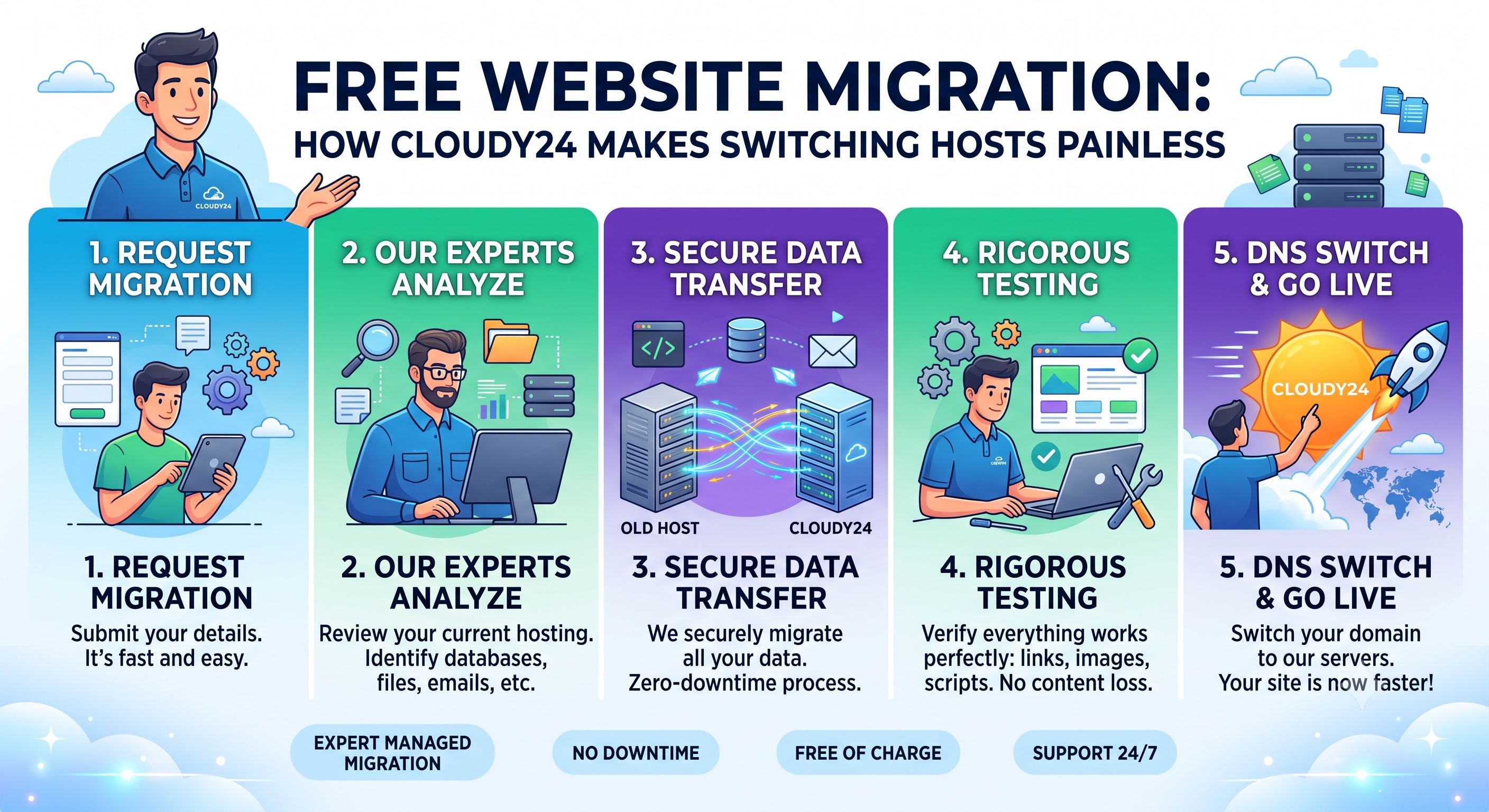
Fear of migration is one of the biggest reasons businesses stay with a hosting provider they're unhappy with. The thought of downtime, broken links, lost emails, or a botched database transfer keeps people locked into slow, expensive, or poorly-supported hosting far longer than they should be. Here's how Cloudy24's free migration service removes that fear entirely.
Why Businesses Avoid Switching Hosts (Even When They're Unhappy)
Common concerns we hear from business owners considering a switch include:
- "What if my site goes down during the move?"
- "What if I lose emails or historical data?"
- "I don't know how to move a database — I'm not technical."
- "What if my SEO rankings drop because of the switch?"
These are legitimate concerns — a poorly executed migration absolutely can cause these problems. But they're also exactly why a managed, free migration service exists: to remove the technical risk from your shoulders and put it in the hands of people who do this regularly.
What Cloudy24's Free Migration Actually Covers
When you request a migration to Cloudy24, their team typically handles:
- Website files — every file that makes up your site, transferred exactly as-is
- Databases — your CMS content, product listings, user data, and settings
- Email accounts — inboxes, folders, and existing messages, so nothing gets lost
- DNS configuration — pointing your domain to the new server without unnecessary downtime
Because this is done by Cloudy24's team rather than a self-service tool, it significantly reduces the chance of something breaking mid-transfer — which is common when non-technical business owners attempt DIY migrations.
The Migration Process, Step by Step
Step 1: Sign Up for a Cloudy24 Plan
Choose the hosting plan that matches your current site's needs — Web Hosting, WordPress Hosting, or Business Hosting.
Step 2: Share Your Current Hosting Access
You'll provide your existing host's login details (typically cPanel or FTP credentials) so Cloudy24's team can access your current site data.
Step 3: The Team Handles the Transfer
Your files, databases, and email accounts are copied over to your new Cloudy24 environment — all in the background, without taking your live site offline.
Step 4: Testing Before You Switch
Before your domain is officially pointed to the new server, your migrated site is tested to confirm everything — pages, forms, database connections, emails — is working correctly.
Step 5: DNS Cutover
Once everything checks out, your domain's DNS is updated to point to Cloudy24's servers. DNS propagation can take a few hours, but with careful planning this happens with minimal to no visible downtime for your visitors.
Will Migration Hurt My SEO?
This is one of the most common questions, and the honest answer is: not if it's done correctly. As long as your URLs, content, and site structure remain unchanged (which a proper migration ensures), search engines will continue to index your site normally. In many cases, businesses actually see SEO improvements post-migration if the new host offers faster page loads — since site speed is a ranking factor.
Who Benefits Most From Free Migration?
- Businesses unhappy with slow hosting who've been putting off switching due to the hassle
- Sites outgrowing shared hosting and needing more resources
- Companies frustrated with unresponsive support at their current host
- Anyone paying inflated renewal prices after an introductory discount expired elsewhere
What to Prepare Before Requesting Migration
To make the process even smoother, it helps to have:
- Your current hosting login credentials ready
- A list of all email accounts on your domain
- Awareness of any custom configurations (cron jobs, custom scripts) your developer may have set up
Cloudy24's support team can walk you through gathering this information if you're not sure where to find it.
Final Thoughts
Migration doesn't have to be the reason you stay stuck with hosting that's slow, expensive, or unsupportive. With Cloudy24's free migration service, switching to faster NVMe SSD-powered hosting, backed by local Indian data centers and 24/7 human support, is a lot easier than most business owners expect.
Ready to move? Start your free migration at cloudy24.com/hosting-migrate-to-cloudy24 or reach out directly on WhatsApp.
 Share on LinkedIn